


One hint
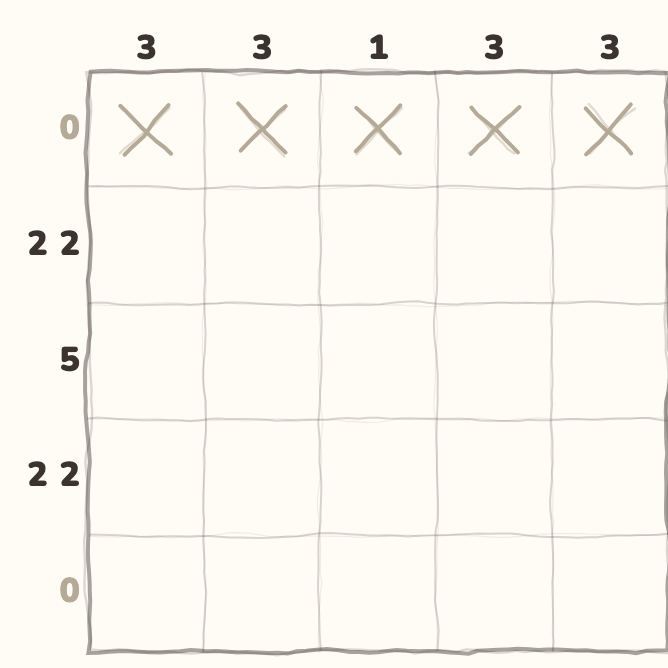
The game shows one next step.
Install Nimo while you are online
Nimo is out on Android through Google Play. Use the Google Play link on this page. Choose Install, follow the store's steps and wait for the download to finish. Then open Nimo. The store checks availability for your device and region.
Do this before you leave Wi-Fi or mobile data. Installing an app needs a connection. The iPhone and iPad version is still being checked.
Choose a puzzle that is open to you
Nimo's regular app puzzles work offline. Pick a game and a board size that you can already open. More games and sizes open as you play. Offline play does not open everything at once.
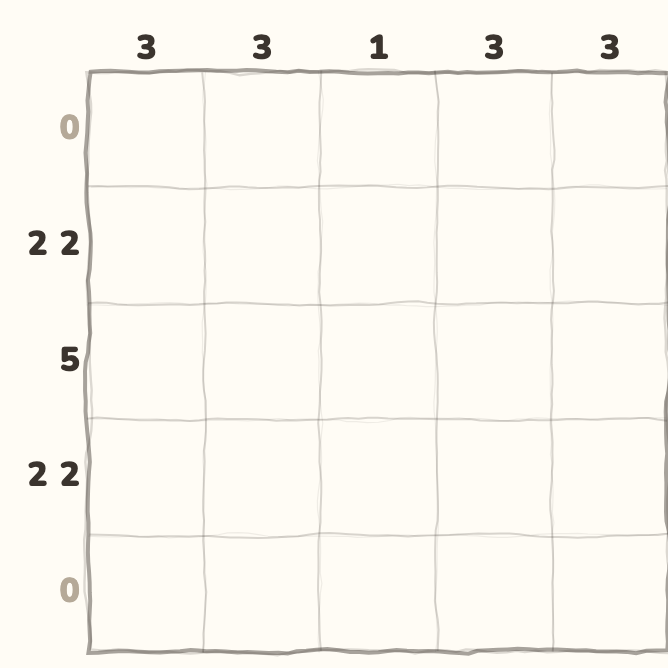
The picture above is a real Pixels board from the app. Pixels is Nimo's nonogram game. You fill squares to match the number clues. Other games have their own rules, so try their lesson before starting.
Get any extra music before you leave
Music is optional. You can play a puzzle without it. Some music comes inside the app. Extra albums need a separate download.
While you are online, download any extra album you want and can access. Use its Download control. Read the album size, confirm the download and wait for Downloaded. Buying or owning an album is different from having its files on this phone.
Know what needs the internet
An offline puzzle does not make every part of Nimo work offline. Connect again for these features:
- Sign-in: reaching your Nimo account.
- Cloud save: sending progress through your account.
- Rankings: getting fresh scores and places.
- Paid purchases: buying through Google Play.
- New downloads: getting app updates or extra music.
Keep ads and cloud save in mind
Do not rely on a video reward being ready while you are offline. Regular puzzle play is separate from loading an ad.
Local means on this phone. Nimo keeps local progress, while cloud save sends progress through your account. An offline board is not proof that your latest progress has reached the cloud. Reconnect and check your cloud save status before changing phones.
Try a small check before your trip
Open the app while you still have a connection. Choose a regular puzzle you want to play. If you want music, wait for its download to finish too.
Turn off Wi-Fi and mobile data for a moment. Open your chosen board and make a move. Try your music too. This lets you check what is ready on your phone. Turn your connection back on when you finish.
The website is a separate place to play
The small puzzles on this website are browser examples. A browser is the app you use to open web pages. It needs the page and game files to load. This guide does not promise an offline website.
Browser play does not change your Nimo account, coins or app progress. Use it to try a rule. Use the installed Android app when you want to prepare regular puzzles for offline play.
References
Was this guide clear?
What was unclear?
Anonymous: no account, no cookies.