
One hint
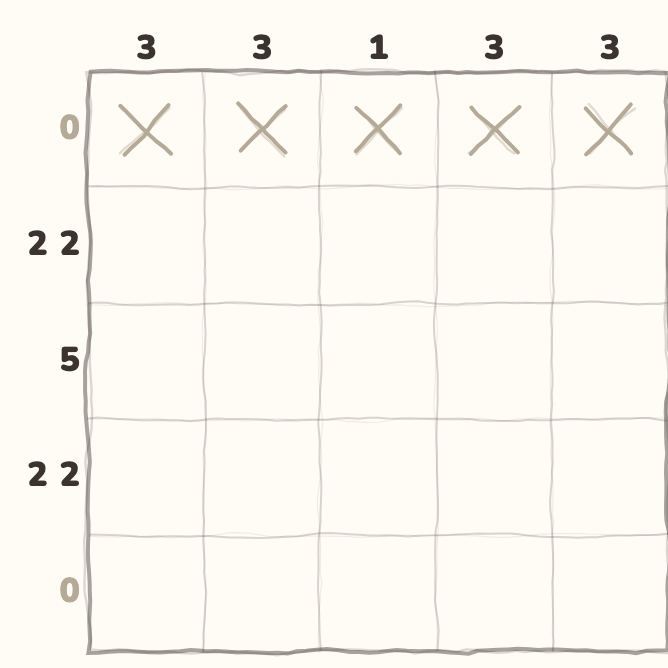
The game shows one next step.
Play here, without installing an app
Choose Try a puzzle at the top of this page. It opens Nimo’s Play page. Choose Nonogram, Sudoku or Lights. These small browser puzzles are free. You do not need a Nimo account.
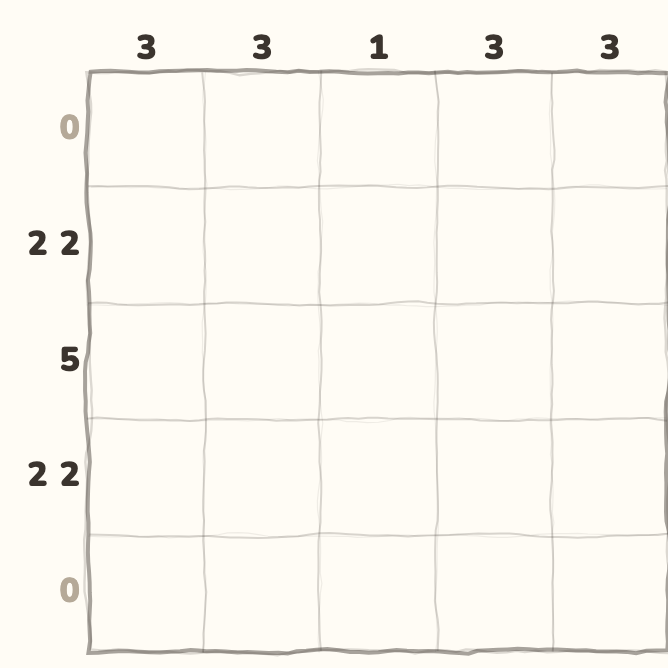
These are short practice boards, not the full app’s level map. The picture above is a real Pixels board from the app. The browser examples have their own clues and layouts.
Pick one of three small games
Choose the kind of puzzle you want to try:
- Nonogram: fill squares to match the number clues. In the app, this game is called Pixels.
- Sudoku: use each number once in a row, column and box.
- Lights: tap a light to flip it and its neighbours. Try to turn every light off.
Find one move you can explain
In a five-square nonogram row, clue 5 means fill every square. In Sudoku, check the row, column and box before placing a number. In Lights, watch which nearby lights change when you tap.
You do not have to solve the whole board at once. Try one sure move. Then look at what changed. If the rule is new, open a guide before making more moves.
Use Hint or start again
Hint can help with a next step on these browser examples. Reset starts that small board again. Neither button spends your app’s coins or hint items.
Choose a different game when you want a new kind of rule. The full Nimo app has fifteen kinds of logic puzzle, but this page offers three small web examples.
Know what stays on this browser
Let the page and game files load before playing. This page does not promise that all browser games will work without the internet.
Your in-progress board can be lost when you reload or close the page. Web play does not sync to your Nimo account, coins or rankings.
If you want the app’s level maps, themes and saved progress, use the download panel below. It shows the current store access status.